Expert in caring for databases.
PostgreSQL availability monitoring with instant alerts. Install the agent in 2 minutes and never miss a downtime again.
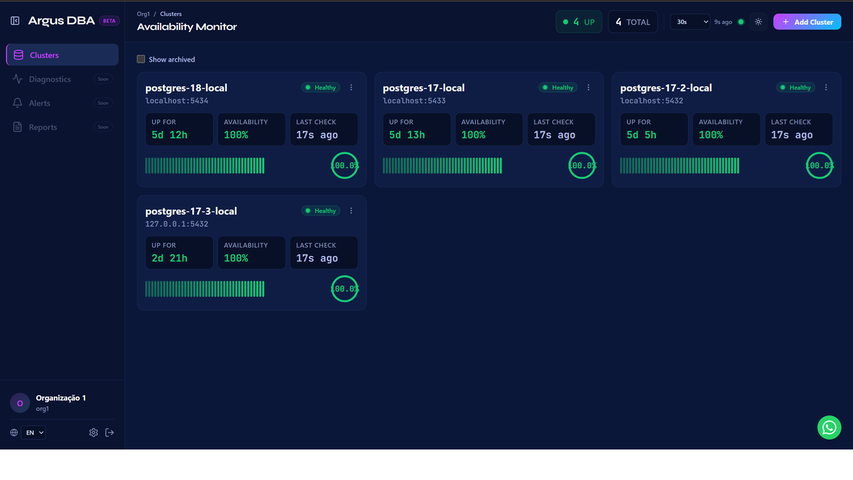
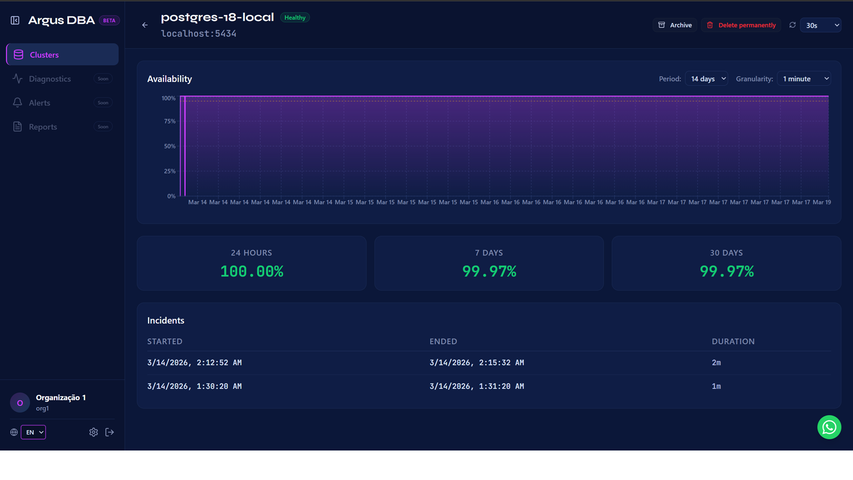
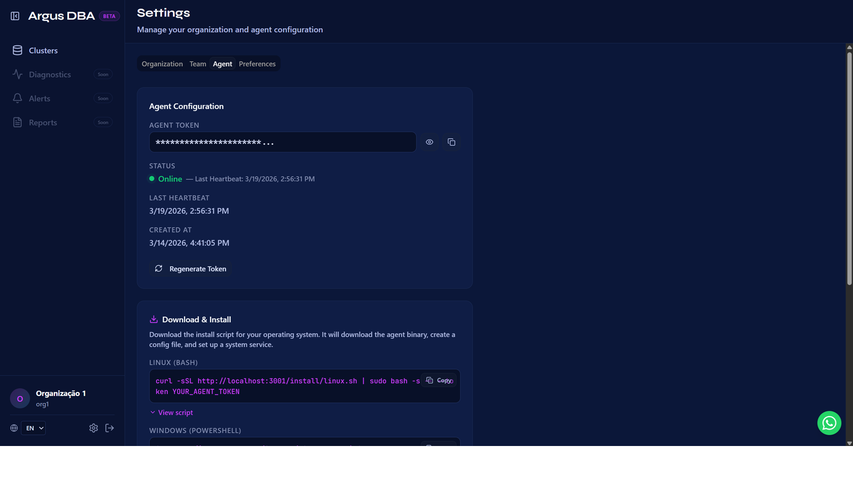
Everything you need to monitor your clusters
Simple to install, powerful to operate.
Online Monitoring
Availability checks every 10 seconds with instant failure detection.
Lightweight Agent (~10MB)
Dependency-free Go binary. Installs on any Linux or Windows server.
Zero Open Ports
The agent pulls from the server — no need to open firewall ports.
Email Alerts
Instant notifications when a cluster goes offline or recovers.
Incident Management
Complete incident history with automated duration and timeline.
Multi-Tenant
Total data isolation. Each organization has its own database.
How It Works
Three steps to complete monitoring.
Install the Agent
One line in the terminal. The agent is a Go binary that runs as a service.
Agent Monitors
The agent detects your PostgreSQL clusters and sends availability checks.
Get Alerts
When something goes down, you get an instant email. When it recovers, too.
Pricing
Start for free. Scale when you need to.
Free
For those just getting started with monitoring.
- 1 PostgreSQL cluster
- Checks every 60 seconds
- Email alerts
- Incident history
- 1 user
Frequently Asked Questions
Is Argus DBA free?
Yes! The Free plan includes monitoring of 1 PostgreSQL cluster with email alerts, with no time limit.
What does the agent monitor?
The agent checks the availability (TCP) of your PostgreSQL clusters at each configured interval. When it detects a failure, it creates an incident and sends an email alert.
Do I need to open firewall ports?
No. The agent works on a pull model — it connects to the Argus DBA server via HTTPS. No inbound ports need to be opened.
What operating systems does the agent support?
The agent is a statically compiled Go binary. It supports Linux (amd64/arm64) and Windows (amd64). No runtime or dependencies required.
Is my data secure?
Yes. Each organization has an isolated database (multi-tenant with full isolation). The agent only transmits availability data — it never accesses your data inside PostgreSQL.
How long does installation take?
Less than 2 minutes. Just run the installation script and paste your agent token. The agent starts monitoring automatically.